Cookies
Optional. Warm up the browser before signups: mailWarmer visits well-known sites and accepts their cookie banners for you.
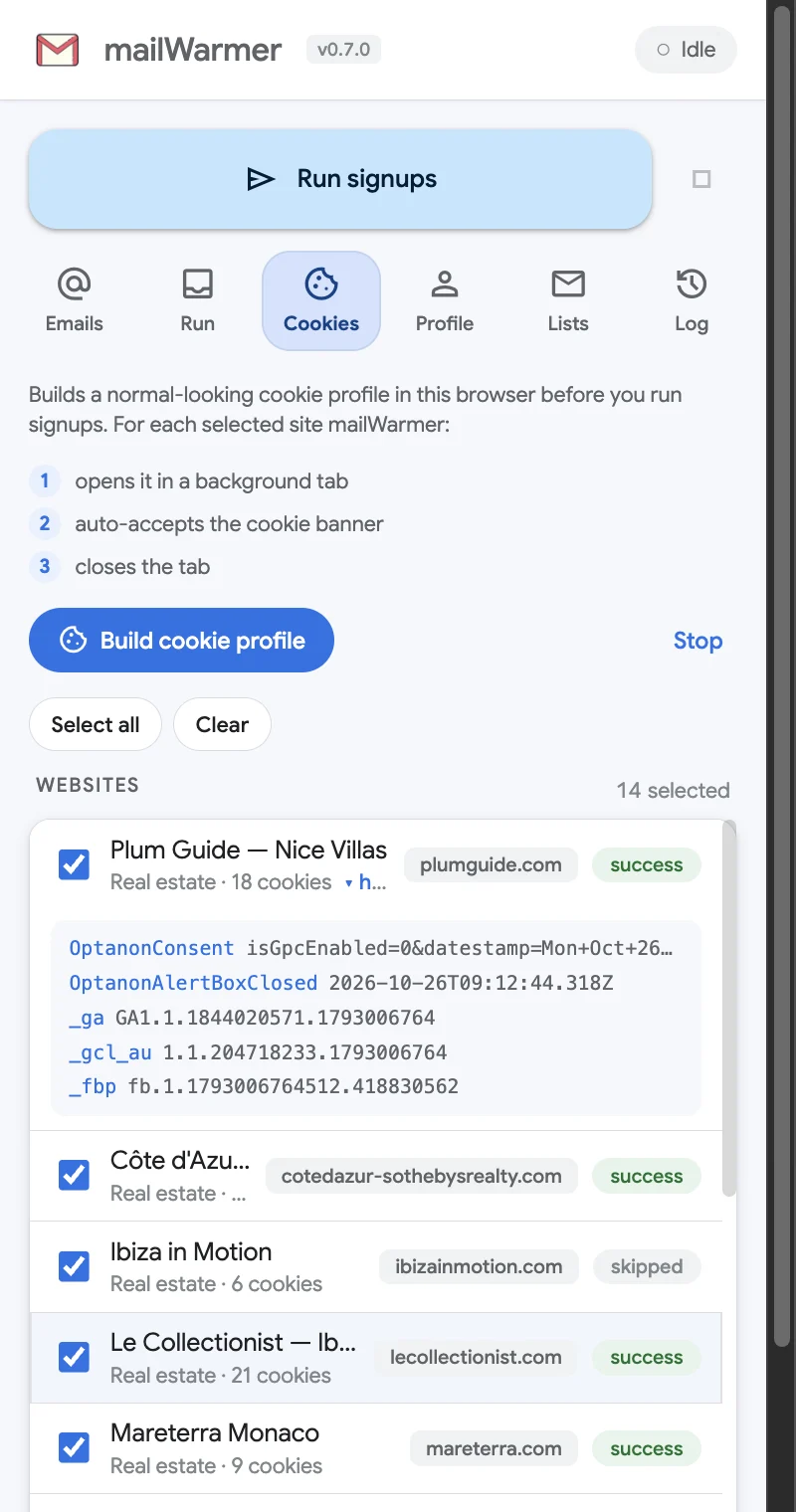
A brand-new browser profile with no cookies at all stands out. The Cookies tab fixes that before you run signups, by building a normal-looking cookie profile in this browser. It is optional — runs work without it.
What it does
For each site you tick, mailWarmer:
- opens it in a background tab,
- accepts the cookie banner by itself (it recognizes the common consent pop-ups),
- closes the tab.
Then it reads back the cookies that visit left in your browser and shows how many there are.
Run a warm-up
- Tick the sites under Websites. Every site is ticked by default; use Select all and Clear to change that quickly. Sites are grouped as Real estate, Automotive and Fashion — well-known brand websites.
- Click Build cookie profile.
- Watch each row update. Stop ends the warm-up after the current site.
Each site has to load fully, so the whole list takes a little while. You can keep browsing in the meantime.
Read the results
Each site ends with a status:
| Status | What it means |
|---|---|
| success | The cookie banner was found and accepted. |
| skipped | The site loaded, but no cookie banner was found. It still left its cookies. |
| error | The site couldn’t be visited. The Log has the reason. |
Under each name you see the site’s category and how many cookies it left. Click ▸ view to list them; ▾ hide folds them away again. When the warm-up ends, a summary line reads Last warm-up … — X/Y sites accepted cookies, and the toolbar badge shows the number of sites that accepted, in green.
Privacy
Everything happens in your browser. The captured cookies are shown only to you and are never sent anywhere. They behave like the cookies from any visit you make yourself, and you can remove them in Chrome’s settings like any others.
Something missing or wrong? Open an issue.