Lists
Optional. The curated newsletter list, how to add your own newsletters, and how to fix a form mailWarmer can't fill.
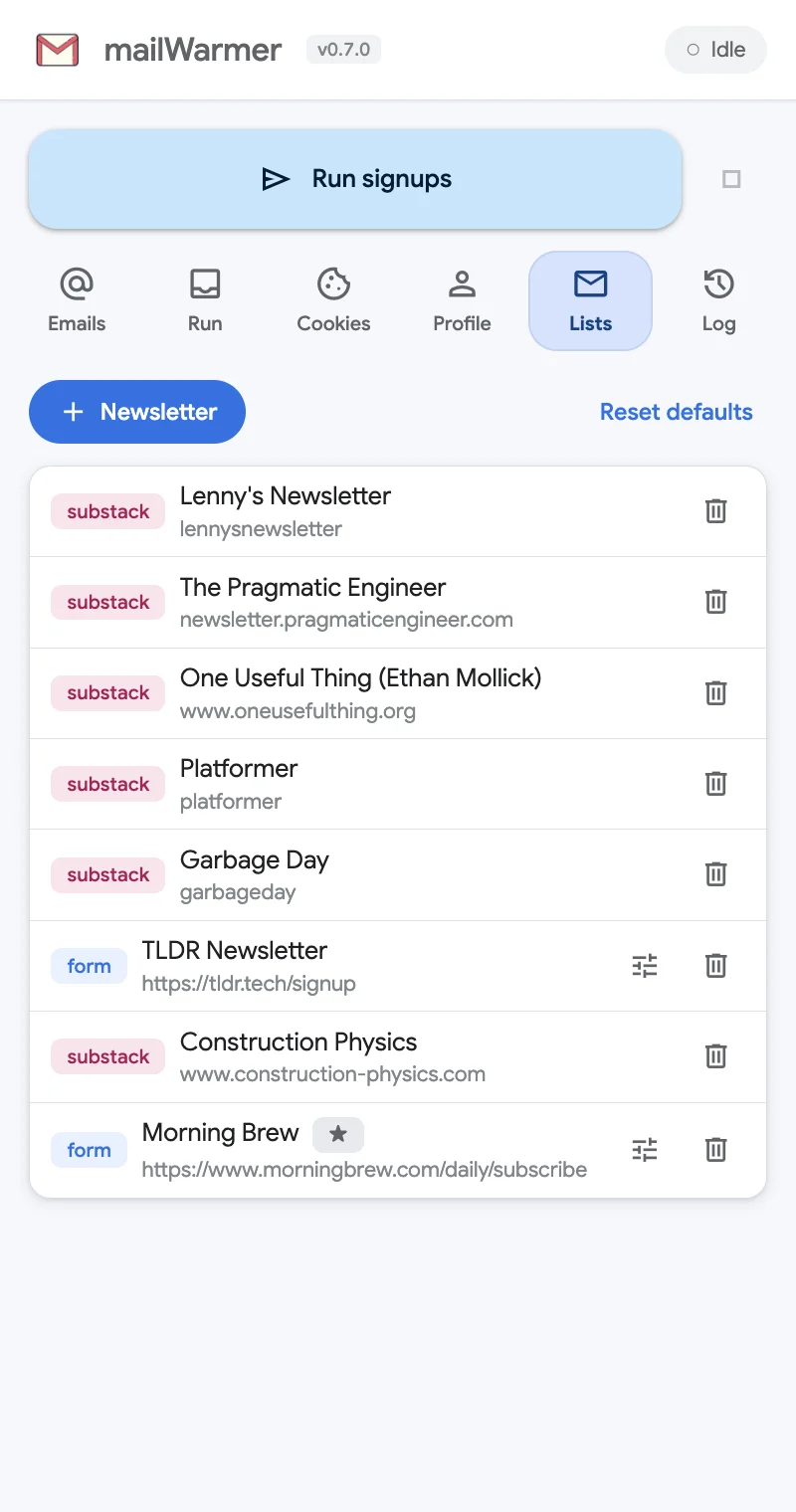
The Lists tab shows every newsletter mailWarmer can subscribe you to. You don’t need to change anything here to use it.
The curated list
mailWarmer comes with a hand-picked list of quality newsletters. The list ships inside the extension: it updates when the extension updates, and nothing is downloaded from a server. Updates keep your custom newsletters and your history.
Each row has a tag for how it is subscribed:
- substack — a Substack publication, subscribed through its own Substack signup. The second line is its Substack name or web address.
- form — a regular signup page that mailWarmer fills in. The second line is the page address.
Add your own newsletter
- Click + Newsletter.
- Give it a Name.
- Pick the Type:
- Substack (API) — then type the Substack slug or custom domain, for example
lennysnewsletterorwww.slowboring.com. - Generic form (DOM) — then paste the Signup URL, the page with the subscribe form.
- Substack (API) — then type the Substack slug or custom domain, for example
- Save. It appears in the list and on the Run tab.
To remove any newsletter, click the trash icon on its row.
Custom selectors for a stubborn form
mailWarmer finds the email field by itself on most pages. When a form newsletter keeps failing, you can point it at the right elements. Click the sliders icon on the row to open Custom selectors:
- Email input selector (required) — a CSS selector for the email field, such as
input[name=email]. - Submit selector (optional) — the subscribe button, such as
button.subscribe. - Field overrides (advanced) — selectors for other fields the form asks for.
A ★ next to a name means it uses custom selectors. Clear overrides goes back to automatic detection.
Tip: to find a selector, open the signup page, right-click the email field, choose Inspect, and look at its
name,idortype.
Reset defaults
Reset defaults puts the curated list back exactly as it ships. It asks first, because the newsletters you added are removed.
Something missing or wrong? Open an issue.