Log
A time-stamped record of every signup and every cookie warm-up, with the reason whenever something fails.
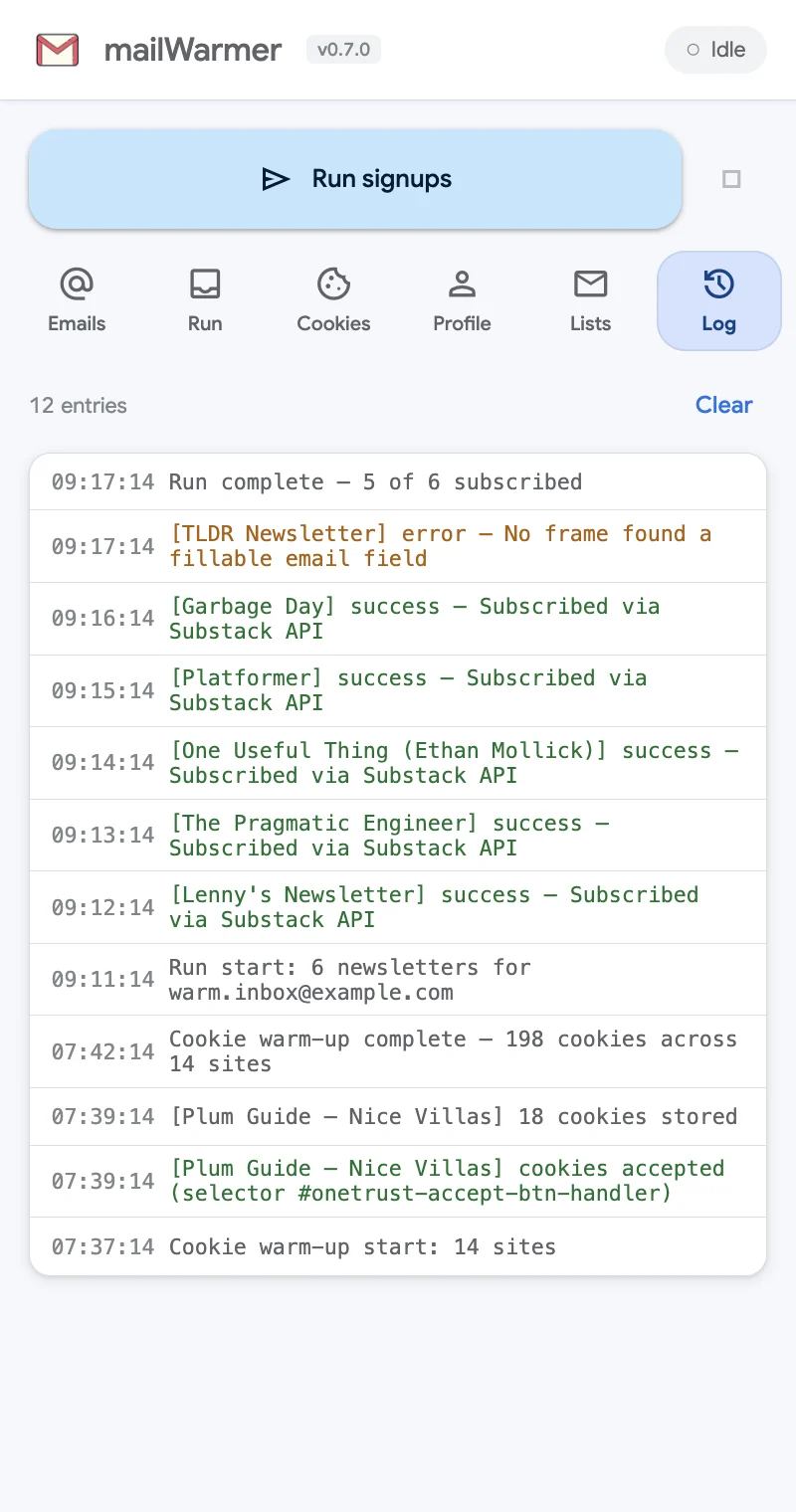
The Log tab is the full story of what mailWarmer did, newest first, each line with its time.
What gets logged
- Runs — Run start: 6 newsletters for [email protected], a line per newsletter with its result, and Run complete — 5 of 6 subscribed at the end.
- Cookie warm-ups — the start, every site that accepted cookies (and how), the cookies each one stored, and the total.
- Stops — when you click Stop, the run or warm-up records that you stopped it.
Reading it
Green lines are successes. Orange lines are failures, with the reason after the dash — for example [TLDR Newsletter] error — No frame found a fillable email field. Troubleshooting explains each reason and what to do about it.
The counter at the top shows how many entries there are. Clear empties the log. It doesn’t touch the statuses on the Run tab, which are kept separately per address and newsletter.
The log stays in your browser and is never sent anywhere.
Something missing or wrong? Open an issue.